Refund Policy & Setup Guide
Having trouble? Follow our setup instructions below. If your eSIM still doesn't activate, we've got you covered with a full refund.
Step-by-Step Setup Guide
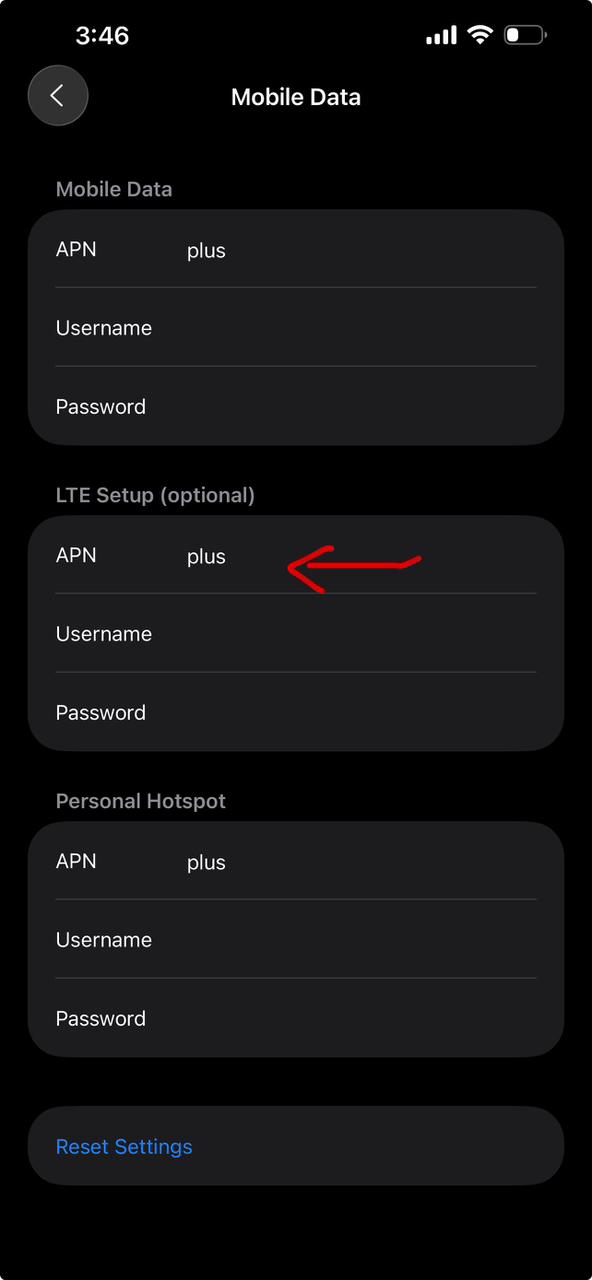
Please follow these steps exactly. Most activation issues can be resolved by correctly configuring the Cellular / Mobile Data settings on your device.
1. Scan the QR Code
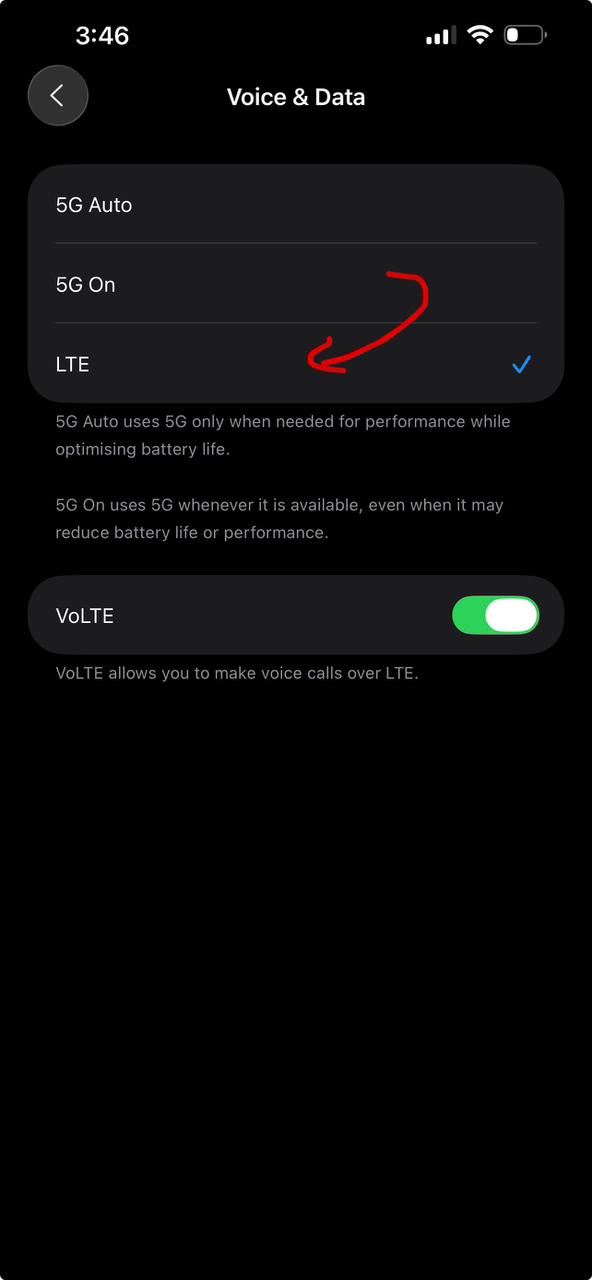
Go to Settings > Cellular (or Mobile Data) > Add eSIM (or Add Data Plan). Center the QR code in the frame to install the eSIM.
2. Turn On eSIM & Data Roaming
After installation, select the new eSIM. Ensure its switch is 'On'. Now, turn on 'Data Roaming' for this specific line. This step is critical for international connectivity.
3. Set eSIM as Primary Data
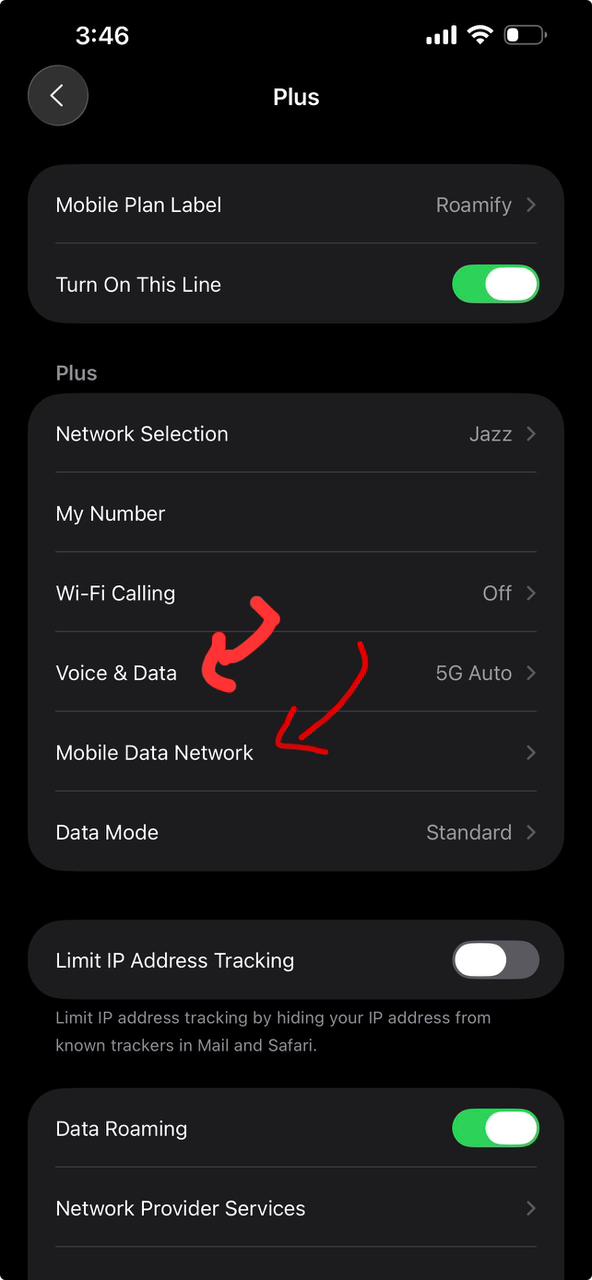
Return to the main Cellular settings and select 'Cellular Data'. Choose your newly installed eSIM as the primary data line. Turn off 'Allow Cellular Data Switching' to avoid roaming charges on your Pakistani SIM.
Still not working?
Don't delete your eSIM! Contact our 24/7 WhatsApp support immediately and we will diagnose the issue or issue a full refund.
Our Refund Policy
1. Device Compatibility and Activation Guarantee
At Axon eSIM, your connectivity is our priority. We provide a full refund if your eSIM does not activate on your device, provided that your device is carrier-unlocked and officially supports eSIM technology. Please follow the setup guide above thoroughly before requesting a refund.
2. Eligibility for Refunds
You are eligible for a refund under the following conditions:
- The eSIM QR code has not been scanned/installed yet (e.g., you accidentally purchased the wrong plan and haven't used the QR code).
- The eSIM was installed but failed to connect to local networks within the destination country despite following all troubleshooting steps and contacting our support team.
- Significant network outages on our provider's end caused prolonged disconnection that we couldn't resolve.
3. When Refunds Are Not Provided
We unfortunately cannot offer refunds in these scenarios:
- Your phone is carrier-locked or does not have eSIM hardware capabilities. (Please check compatibility before purchasing).
- You have already used a significant portion of the data plan.
- You deleted the eSIM from your device settings after installation. (Deleted eSIMs cannot be re-downloaded or recovered).
- You changed your mind after the data plan has already been partially consumed.
4. How to Request a Refund
To initiate a request, please contact our 24/7 WhatsApp support team with your order number and screenshots of your Cellular/Mobile Data settings. If we determine that the eSIM cannot activate on your compatible device, we will process your refund immediately. Refunds made to JazzCash, Easypaisa, or Cards will reflect in your account according to your bank's standard processing times (usually 3-7 business days).